
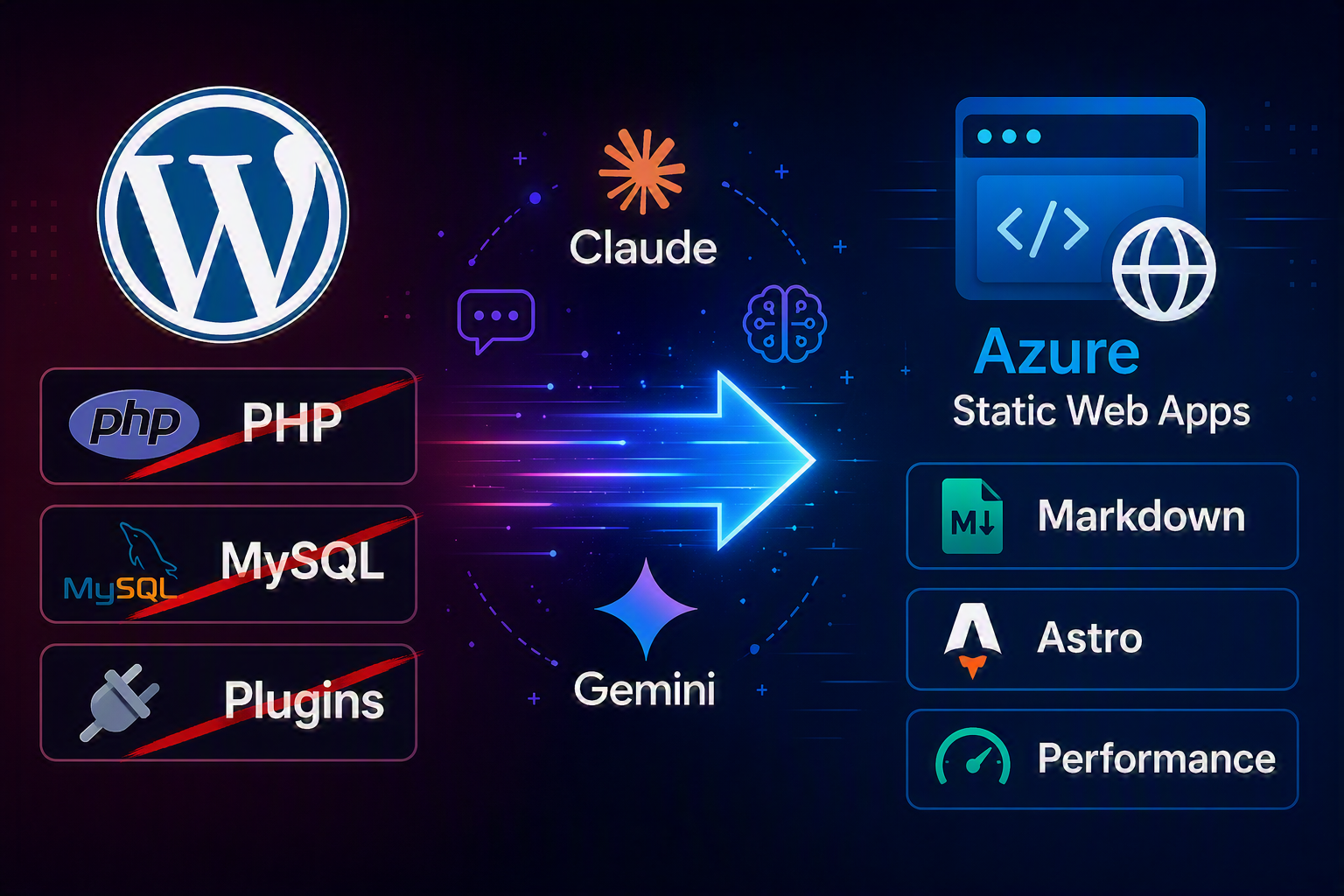
From WordPress to Astro: Migrating My Tech Blog with Vibe Coding & Azure
My WordPress blog has been running since 2013. Over the years, it accumulated more than 350 posts, dozens of plugins, and a shared hosting plan that felt increasingly restrictive. Every update cycle became a minor anxiety event, performance was consistently mediocre, and the editor felt unnecessarily heavy. Furthermore, the costs were a constant reminder that I was paying for infrastructure I didn’t truly need.
So, I decided to rebuild. Not gradually, and not just with a simple theme swap—I wanted a full migration to a static site. To achieve this, I used Vibe Coding, leveraging Claude and Gemini Pro as my primary AI pair programmers.
Here is a technical deep dive into what that migration looked like in practice, what I learned, and why I will never go back.
Why I Chose Astro for My Static Site
Before starting, I evaluated several modern frameworks, including Next.js, Hugo, and Eleventy. I ultimately landed on Astro for a few highly concrete reasons:
- Content Collections: Astro’s typed frontmatter fits perfectly for managing a large blog with 350+ posts.
- Clean Component Model: It offers a highly modular approach without requiring a full Single Page Application (SPA) mindset.
- Zero Runtime Overhead: Astro delivers static output by default, ensuring maximum speed.
- Markdown Support: It features first-class Markdown support with fully customizable rendering.
- Deployment Flexibility: The build output consists entirely of static files, meaning you can deploy it anywhere.
Astro doesn’t try to be everything. For a technical engineering blog, that is exactly what you want.
The WordPress Migration: 357 Posts and 4,252 Images
The content migration itself was the most significant chunk of work. WordPress exports data in XML, whereas Astro expects Markdown files.
To bridge this gap, I wrote a custom Python conversion script that handled the bulk transformation:
- Converting HTML to Markdown.
- Extracting and mapping frontmatter.
- Rewriting image URLs.
- Preserving legacy URLs via a
wpSlugfield.
All 4,252 images were migrated to a dedicated Azure Blob Storage container. I preserved the exact directory paths so that no existing URLs would break. The blog posts themselves now live seamlessly in the src/content/blog/ directory as Markdown files, fully versioned in Git alongside the codebase.
A non-trivial challenge: Over 12 years, my WordPress site had accumulated 71 different categories. Many were redundant, split between German and English, or entirely obsolete. I used this rebuild as an opportunity to consolidate them down to 12 clean, English categories. I performed a similar cleanup for tags, reducing them to about 65 meaningful entries. That kind of deep architectural cleanup is only feasible when you are rebuilding from scratch.
The Power of Vibe Coding with AI
I want to be transparent about my workflow: I built this platform with Claude as an active coding partner and Gemini for evaluation, rather than just using them for boilerplate generation. This is what is commonly referred to as Vibe Coding—working iteratively with an AI assistant, describing requirements, reviewing outputs, correcting course, and pushing the architecture forward.
What Worked Exceptionally Well
- Component Architecture: Claude generated highly solid Astro components (Header, Footer, Sidebar, layouts), which I refined through high-level conversation rather than manual, line-by-line editing.
- Client-Side Search: We implemented a search function using Fuse.js. It requires no backend and no heavy plugins. Built entirely in the browser, it has zero external dependencies at runtime and is blazingly fast.
- Smart Redirect Strategy: Old WordPress URLs followed the pattern
reimling.eu/my-post-slug/, while the new Astro blog uses/blog/my-post-slug/. Because Azure Static Web Apps enforce a 20KB config limit, generating per-post redirects instaticwebapp.config.jsonwasn’t feasible. Our solution? A smart404.astrofile that embeds all 356 legacy slugs as a JavaScript Set and handles the redirect seamlessly on the client side. It’s clean, fast, and avoids config bloat. - Legal Compliance: The Impressum (Imprint) and Datenschutzerklärung (Privacy Policy) were rewritten entirely from scratch for a static site. No remaining WordPress references, no Gravatar, and no comment plugins.
- Email Obfuscation: German law (§ 5 TMG) requires a reachable email address in the Impressum. We implemented a Base64-encoded address assembled dynamically via JavaScript—invisible to spam crawlers, but perfectly functional for human users.
Where I Had to Course-Correct
AI struggles with real-time infrastructure realities. Whenever the task required precise knowledge of the live environment—such as CDN pricing, current Azure Static Web Apps limits, or DNS propagation specifics—I had to step in. AI training data has a cutoff, and cloud infrastructure changes rapidly. I quickly learned to verify infrastructure details independently.
The New Architecture Stack
- Framework: Astro 4 (Static Output)
- Hosting: Azure Static Web Apps (Free tier)
- Asset Storage: Azure Blob Storage
- Search Engine: Fuse.js (Client-side only)
- CI/CD Pipeline: GitHub Actions with OIDC Workload Identity Federation
- DNS Management: Porkbun → Azure Static Web Apps custom domain
- Plugins: Zero
The Free tier of Azure Static Web Apps is incredibly generous, including custom domains, automatic HTTPS via managed certificates, and out-of-the-box GitHub Actions integration. For a blog with no heavy backend requirements, it is genuinely free—and extremely fast.
What Actually Improved?
- Unmatched Performance: Static HTML served directly from edge infrastructure simply loads faster than a PHP-rendered WordPress page. There are no database queries, no fragile plugin execution chains, and no render-blocking scripts.
- Frictionless Workflow: Writing is simpler now. A new post is just a Markdown file with frontmatter. A simple
git pushdeploys it to production. No editor logins, no plugin conflict debugging, and no constant update nags. - Zero Maintenance: Maintenance overhead has dropped to near zero. There are no PHP versions to manage and no databases to back up. The site is just files.
- Cost Efficiency: My hosting costs went from monthly shared hosting fees to effectively nothing. Azure Blob Storage for 4,252 images costs mere cents per month, and Azure Static Web Apps is free.
Lessons Learned & What I’d Do Differently
The 20KB limit on the staticwebapp.config.json file caught me entirely off guard. I initially attempted to generate one redirect route per post and hit the wall immediately. This is critical to know upfront if you are planning a large migration to Azure.
Additionally, I would set up the custom domain and DNS configuration much earlier in the process. Testing on the default .azurestaticapps.net domain is fine, but the feedback loop is significantly faster when you are working on the actual production URL from day one.
The Verdict on Vibe Coding
Would I recommend this approach? Yes—but with one major caveat.
Vibe Coding works best when you already understand what you are building well enough to critically review the AI’s output. Claude generated code that I wouldn’t have written exactly the same way myself, but I was able to read it, understand the architectural tradeoffs, and make highly informed decisions about what to keep or modify.
If you treat AI-assisted development as a shortcut to skip actual understanding, the technical debt and errors will compound quickly. However, if you treat AI as a remarkably fast typist who knows a lot but requires architectural direction, it dramatically accelerates work that would otherwise be tedious.
A complex blog migration that would have normally cost me several weekends of careful manual labor came together in focused sessions spread across just one week—leaving me ample time to think, test, and iterate properly.
The end result? A tech blog I am actually excited to maintain again.
The site is live at reimling.eu. The repository is private, but feel free to reach out on social media if you have questions about the migration approach or the Azure Static Web Apps setup.