
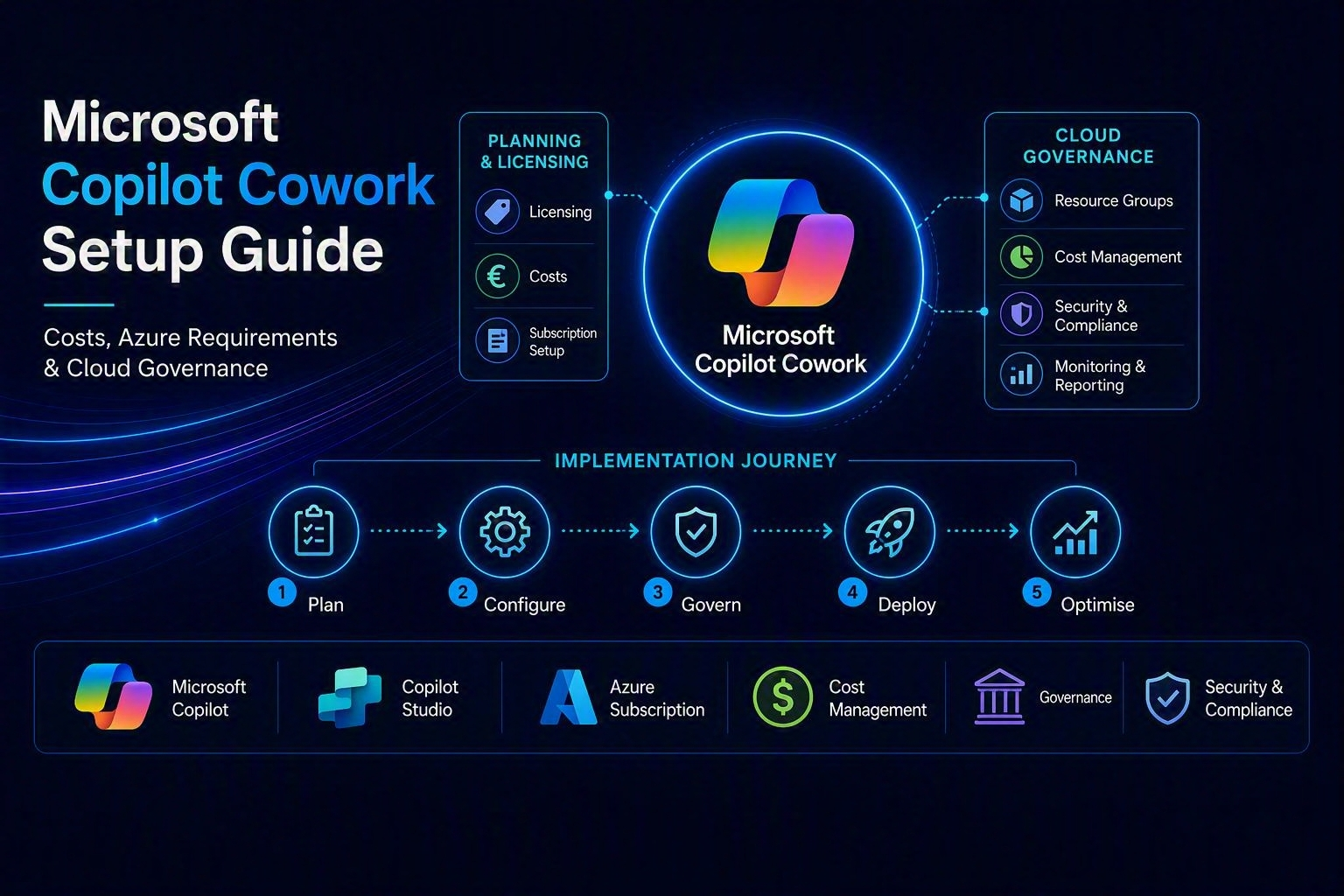
Microsoft Copilot Cowork: Enable, Costs, Azure Requirements and Best Practices
📌 Language Version: Diesen Artikel auf Deutsch lesen
Microsoft Copilot Cowork: Enable, Costs, Azure Requirements and Best Practices
Microsoft continuously expands its Copilot portfolio. In addition to Microsoft 365 Copilot and Copilot Chat, there are Agents, Copilot Studio, and increasingly Cowork functionalities. Copilot Cowork is an AI-powered workspace within the Microsoft Copilot ecosystem designed to coordinate and execute more complex tasks, projects, and workflows. To distinguish them better:
- M365 Copilot is the personal assistant that summarizes emails or evaluates meetings.
- Copilot Cowork is designed for information retrieval within an organization, e.g., creating an architecture proposal for an M365 environment based on existing best practices.
Technically, Copilot Cowork can be activated via the Microsoft 365 Admin Center. However, in practice this raises several questions:
- Which Copilot variant is intended for which use case?
- Does every user need a Microsoft 365 Copilot license?
- What Azure permissions are required?
- What role do Azure Subscription, Resource Group, and Billing Region play?
- What are Copilot Credits?
- How can credits be converted to euros?
- Should an organization-wide limit and an additional per-user limit be set?
- How can reliable cost control be established?
This article describes the activation and shows which technical, financial, and organizational aspects should be considered before a productive rollout.
Note: Microsoft is continuously developing the naming, licensing, and billing of Copilot services. Therefore, prices, credit consumption, and included features should always be verified against the currently valid Microsoft product documentation and the Commercial Terms displayed in your respective tenant before deployment.
1. Categorizing the Copilot Portfolio
The various Microsoft offerings sometimes overlap. To get an initial overview, it helps to distinguish between personal productivity, general AI chat, specialized agents, and more complex work assignments.
1.1 Microsoft 365 Copilot
Microsoft 365 Copilot is primarily the personal work assistant within Microsoft 365. It is integrated in applications including Microsoft Teams, Outlook, Word, Excel, PowerPoint, OneNote, Microsoft 365 Copilot App, and more.
Typical use cases include:
- Summarizing emails and threads
- Preparing for and/or following up on meetings
- Drafting documents and creating presentations
- Consolidating information from Microsoft Graph and Microsoft 365
Microsoft 365 Copilot operates in the security and permission context of the respective user. Copilot thus has access only to content that the user already has access to.
1.2 Microsoft 365 Copilot Chat
Copilot Chat provides a central chat interface for AI-powered tasks. The specific feature scope depends on licensing, tenant configuration, and the Microsoft offerings available.
Depending on the scenario, features may be included or additionally charged based on consumption. This can include, for example, agent-based features or certain actions.
Therefore, it must not be assumed that an existing Microsoft 365 Copilot license automatically covers every agent, every action, and every Copilot service without additional consumption costs.
1.3 Copilot Agents
Agents are specialized AI assistants that can be customized for specific knowledge sources, rules, actions, or business processes.
Possible examples include:
- Architecture Assistant
- Quote Assistant
- Internal Policy Assistant
- Onboarding Agent
- Support or Service Agent
An agent is particularly useful when knowledge or workflows should be offered repeatedly to multiple people. However, there are also numerous differences in distinguishing between agents in general tenant agents and M365 agents.
1.4 Copilot Studio
Copilot Studio is used to create and manage more extensive agents. Depending on the level of development, the following components can be used, among others:
- Knowledge sources
- Topics and instructions
- Connectors & Actions
- Agent Flows
- Authentication
- Governance and Analytics features
Copilot Studio is therefore more of a platform for developing and operating agents rather than just a single chat interface. In my view, Copilot Studio is designed for low-code applications and thus fits into the Power Platform area.
1.5 Copilot Cowork
Cowork is designed for work assignments where Copilot should not only provide a single response, but handle a task in a more structured manner with multiple work steps.
As a practical guide:
- Microsoft 365 Copilot: Personal productivity in your own work context
- Copilot Chat: General dialog-based AI support
- Agents: Reusable specialists for knowledge, roles, or processes
- Copilot Studio: Development, integration, and governance of more complex agents
- Cowork: Delegation of extensive, possibly multi-stage work assignments
The boundaries are not always sharp. Microsoft can move features between products or change their names.
2. When Should Cowork Be Used?
Cowork is particularly well-suited for tasks where a user wants to delegate a result that encompasses more than a single question or text generation.
Possible scenarios include:
- Gathering information from multiple sources
- Preparing a structured draft
- Breaking down an extensive work assignment into sub-steps
- Analyzing content and creating a work product from it
- Standardizing recurring knowledge work
- Having a specialist agent handle a professionally defined task
Microsoft 365 Copilot, on the other hand, is better suited for immediately interactive activities such as:
- Formulating an email, summarizing a meeting, revising a document, creating a presentation
A simple decision rule is:
Use Microsoft 365 Copilot for personal, interactive productivity. Use Agents or Cowork for reusable, professionally defined, or multi-step work assignments.
3. Activation in the Microsoft 365 Admin Center
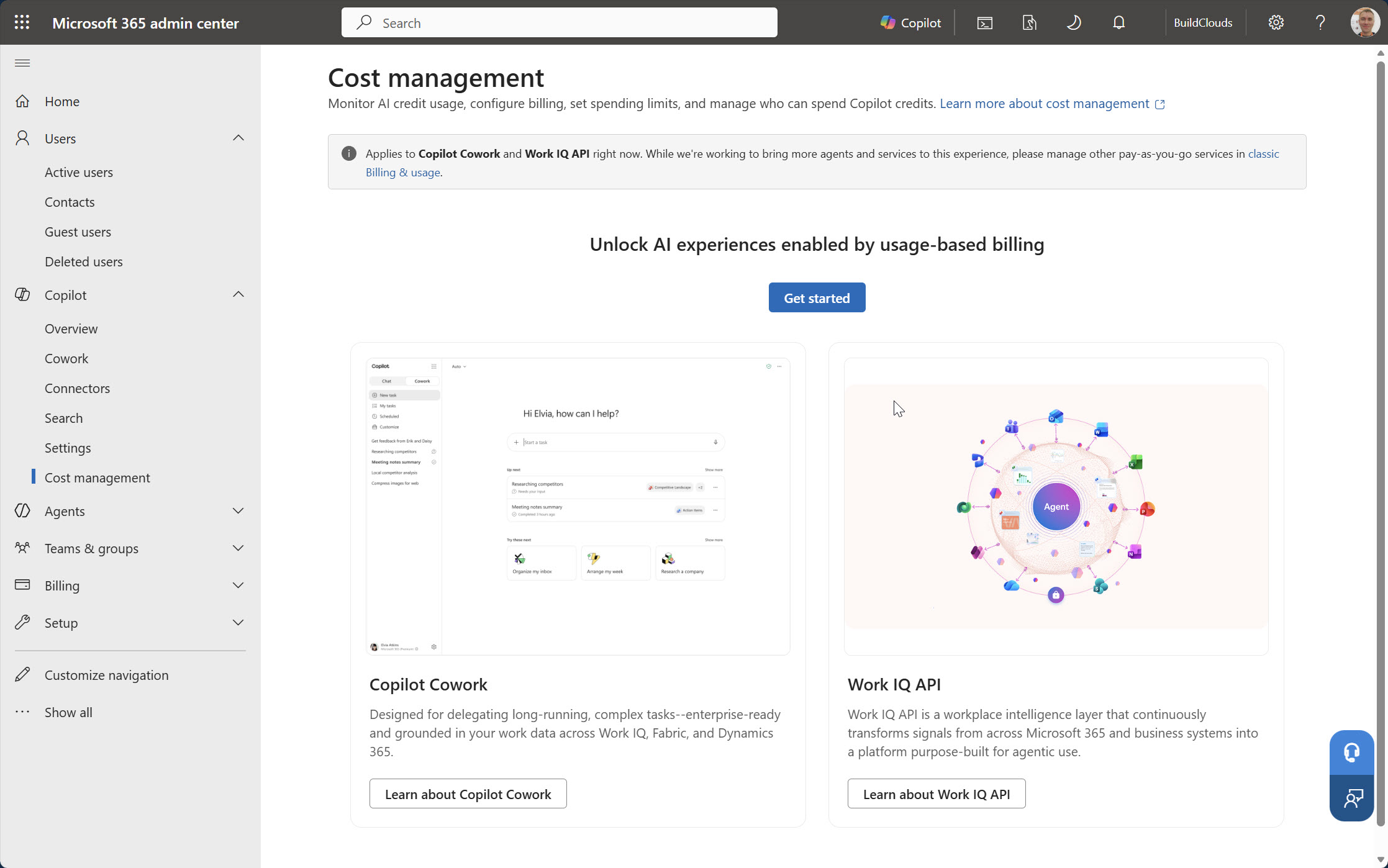
Activation can be found in the Microsoft 365 Admin Center under the Copilot Billing or Spending Policies section. Note that the exact navigation may change with portal updates.
In essence, the portal displays the following function:
Activate the default spending policy for your organization
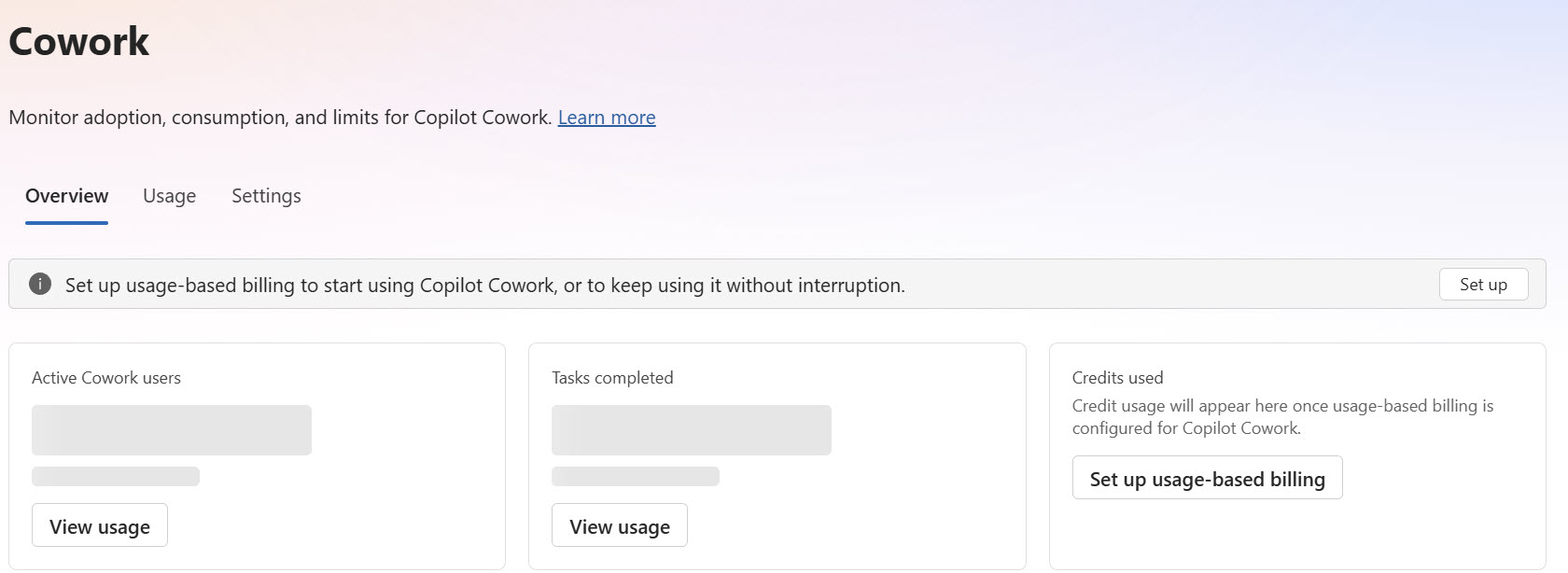
The explanation in the portal makes it clear that users can consume Copilot Credits within configured agents and services. An Azure Pay-as-you-go subscription can be connected as the billing method.
The dialog typically contains the following elements:
- Selection of the billing method
- Selection of an organization-related Azure Subscription
- Setting an organization-wide credit limit
- Optional monthly limit per user
- Activation of the Default Spending Policy
Personal Azure Subscriptions may be displayed but may not be usable for an organization-wide Spending Policy.
The topic of subscription has always been interesting in the Azure context. Whenever pay-as-you-go scenarios come into play at Microsoft, Azure Subscriptions are almost always used, as these are ideal for usage-based services. However, this also means that you have a suitable subscription for such cases or create one. Therefore, I recommend creating a separate subscription in the tenant for AI use cases. Subscriptions are free themselves and are essential for clean separation and cost control. The cost control aspect will be revisited later and is particularly important for Copilot Cowork.
4. Required Azure Permissions
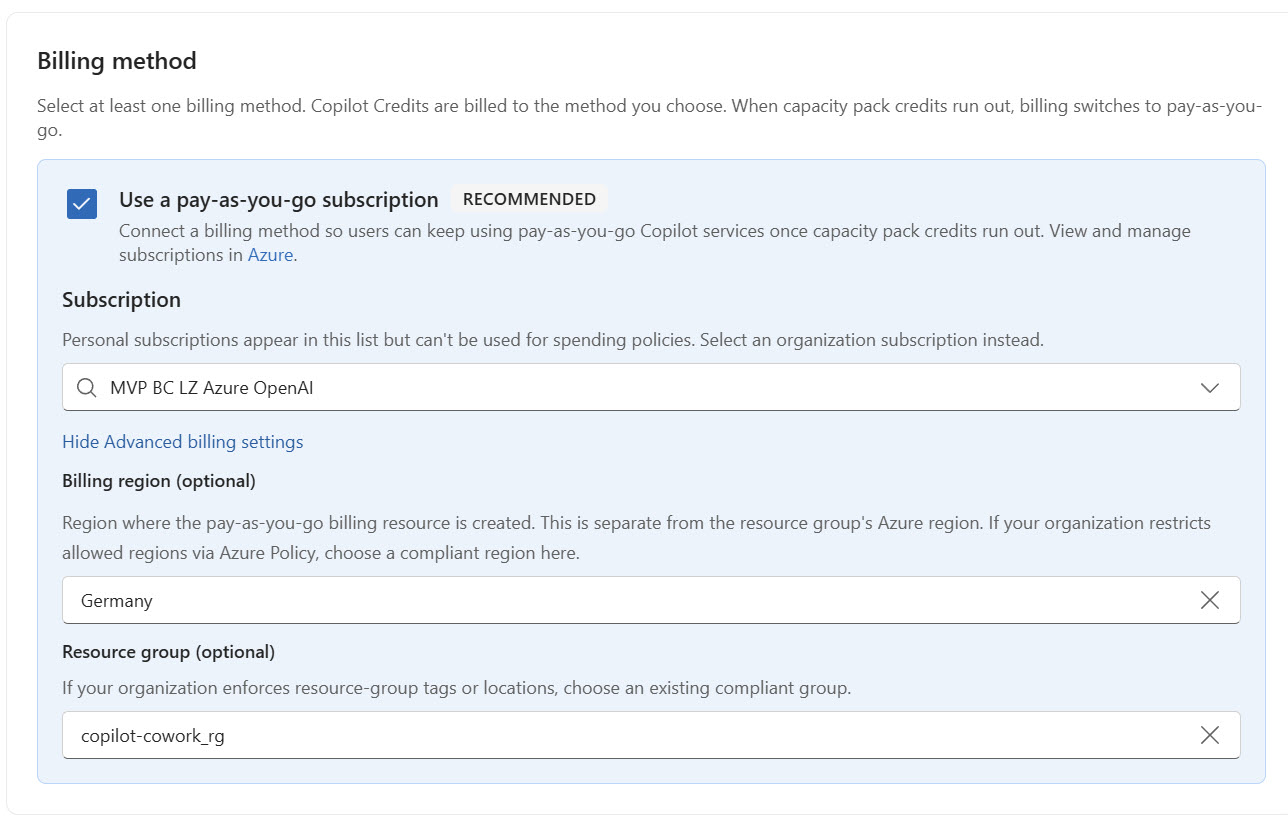
An selectable Azure Subscription does not automatically mean that the logged-in administrator is allowed to connect the Spending Policy to that subscription.
The following permission scopes must be distinguished:
- Microsoft 365 Administrator role, Entra Directory role
- Azure RBAC role at subscription or resource group level
- Permission in the Azure Billing context
- Possibly rights to register a Resource Provider or create a billing resource
Recommendations:
- Check the minimum roles documented by Microsoft for the specific activation dialog.
- Assign Azure RBAC preferably via a dedicated administrator group.
- Enable privileged roles via Microsoft Entra Privileged Identity Management.
- Limit the role assignment in time.
- Remove permissions no longer required after successful configuration.
- Monitor Azure Activity Log and Microsoft 365 audit logs for changes.
UX Pitfall with Missing Permissions
In practice, it can happen that:
- the subscription appears in the selection,
- all fields are configurable,
- but the activation button remains disabled and/or no sufficiently concrete error message is displayed
This often indicates that you are logged in with a Microsoft Administrator role, but have no permission to the Azure Subscription itself, since Azure Subscriptions use the Azure RBAC concept.
5. Azure Resource Group
Please expand the Show Advanced billing settings field. There you can make specific settings, such as configuring the Billing Region and a Resource Group. Since no Resource Group can be created in this field, it is advisable to create one beforehand and assign it here. Also select the region based on the standard region used in the tenant or that may be relevant for data protection reasons.
Example: m365-cowork-payg-prod_rg
Advantages:
- Clear organizational assignment, easier RBAC management
- Targeted Azure Policy scoping
- Better visibility in Cost Management and clean tags
- Separation of Azure OpenAI and Microsoft 365 Copilot consumption
Recommended tags:
Service       = M365-Copilot
Environment   = Production
Owner         = <Responsible Team>
ManagedBy     = CloudPlatform
A separate Resource Group improves governance but does not automatically guarantee complete cost isolation.
6. Selection of the Billing Region
In the setup, a Billing Region can be configured. This should not automatically be equated with the actual processing or data residency region. Depending on the service, the region can determine:
- Where an Azure billing resource is deployed
- Which regional billing offer is used
- Which resource region applies for the link
- Which prices are relevant
It does not necessarily determine where all prompts are processed or where Microsoft 365 data is stored.
7. Does Choosing a Different Region Like Sweden Incur Traffic Costs?
In principle, Azure can charge for outbound data traffic and cross-region data transfer.
However, whether this is actually relevant for the Copilot Spending Policy depends on the technical data path.
If the region only anchors a Billing or Metering resource, there is not automatically a chargeable data stream between Germany and Sweden.
However, if your own Azure components communicate across regions, costs can arise, for example, for:
- Inter-Region Data Transfer
- Data traffic between Azure services
- Connected APIs
- Custom search, storage, or integration components
- Azure OpenAI or AI Search resources
For a reliable assessment, after activation, search in Azure Cost Management for the following meter categories:
Bandwidth, Data Transfer, Inter-Region Transfer
8. Using Azure Cost Management Correctly
I also recommend setting up an additional monetary budget in Azure Cost Management in addition to the credit limit.
Important: An Azure Budget is not a hard spending block but rather an alarm and information tool. Azure Cost Management Budgets send notifications. They usually do not automatically stop resources or pay-as-you-go consumption. This is an important governance decision.
9. What Does “Monthly budget (credits)” Mean?
The Monthly budget (credits) field does not refer to a euro budget and not a direct number of Azure OpenAI tokens. It is a monthly limit in Copilot Credits.
Copilot Credits represent an abstract unit of consumption for Microsoft-supported Copilot services and features. Credit consumption depends on:
the service used, the agent type, the action performed, the knowledge sources used, the number and type of agent interactions, and the currently valid Microsoft billing model
One Copilot Credit therefore cannot automatically be equated with a token of a language model.
10. Can Copilot Credits Be Converted to Euros?
Unfortunately, a blanket statement such as 1 Copilot Credit = €0.01 is not currently possible. I have not found a formula for a universally applicable conversion.
For a reliable cost forecast, at least the following information is required:
- Price of Copilot Credits in the specific contract and in the selected billing region
- Credit consumption per supported service or operation
- Expected number of users
- Expected number and type of operations
- Existing Capacity Packs
- Behavior after consumption of existing Capacity Credits
- Taxes, currency, and any Enterprise Agreement discounts
A reliable formula conceptually looks like this:
Monthly Costs = Number of Operations × Credits per Operation × Price per Credit
If consumption per operation varies, scenarios should be calculated:
Best Case, Expected Case, Worst Case
Without documented values for Credits per Operation and Price per Credit, a credit limit is primarily a technical consumption limit, but not a transparent euro budget limit.
11. Capacity Packs and Pay-as-you-go
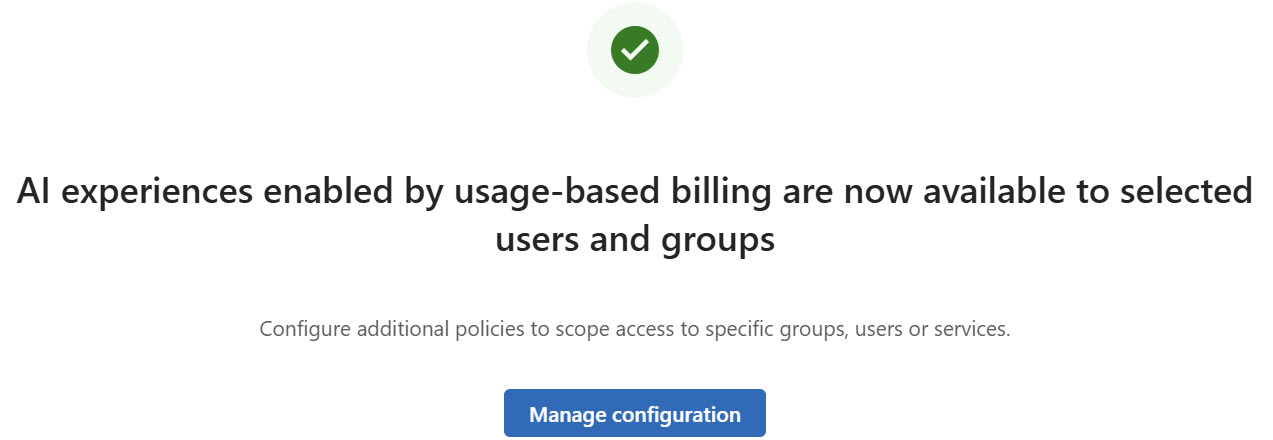
The activation dialog essentially indicates:
When credits from Capacity Packs are exhausted, billing switches to pay-as-you-go.
This means:
- Existing Capacity Credits can be consumed first.
- After their consumption, usage can continue via the connected Azure Subscription.
- Switching to pay-as-you-go prevents service interruption.
- Without appropriate limits, this can result in additional Azure consumption.
This fallback should be treated deliberately as a governance decision. For pilot operations, continuity is not always more important than cost containment.
12. Organization-wide Spending Limit
For a new introduction, the option Limit the number of credits that the default policy can spend each month should generally be preferred over an unlimited policy.
When the limit is reached, users associated with the policy may lose access to affected agents and services until the credit allocation is reset or adjusted according to the policy. The limit is thus also an availability decision.
13. Monthly Per-User Limit
In addition to the organization-wide policy, a monthly spending limit per user can be useful.
Advantages:
- A single user cannot consume the entire organization-wide contingent, and outliers are limited
- Pilot groups can be tested in a more controlled manner
The user limit should be smaller than the organization-wide total limit and should match the number of enabled users.
Example of a purely computational pilot model:
Organization-wide Limit: 1,000 Credits
Number of Pilot Users: 10
User Limit: 100 Credits per User
This example is not a euro cost estimate. It merely shows one possible allocation of the credit contingent.
14. Cost Example
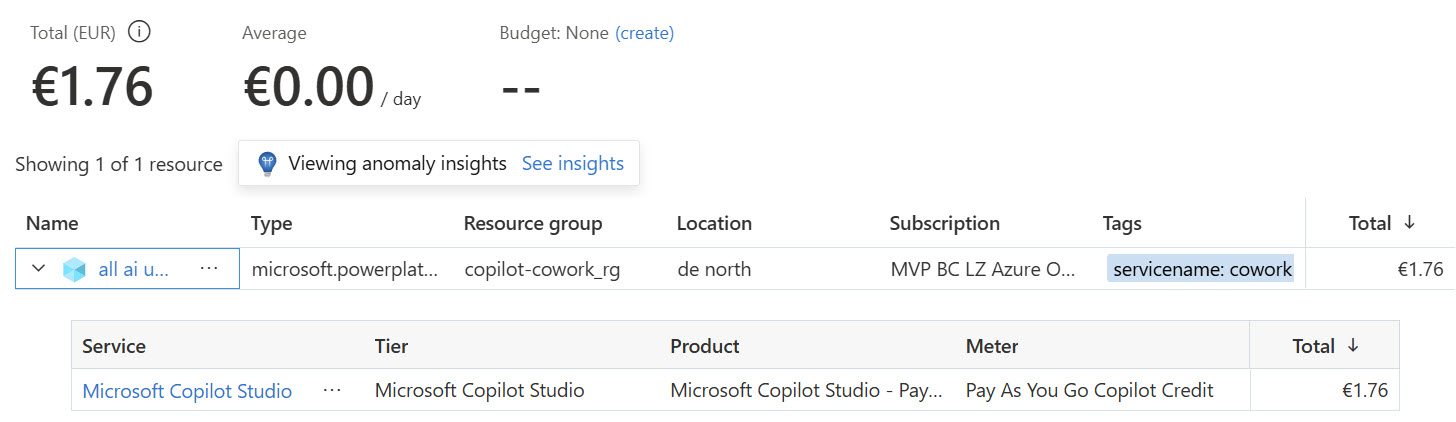
In my current tasks, I placed the billing resource for Copilot Cowork in a separate subscription and within that in a separate resource group. I then configured a limit of 1,000 credits and issued an extensive prompt in Cowork. The task was to extract relevant information from a daily workshop transcript for a quote and to create the quote based on it. In Copilot Cowork, you are transparently shown when the token limit is reached.

The 1,000 credits were consumed relatively quickly and cost €1.79. Note that in Azure, costs are displayed with a delay. The costs were first displayed for the resource group about 2 hours later. Interestingly, the billing for this case is shown as Copilot Studio costs.
15. Security and Governance Best Practices
15.1 Least Privilege
Administrators, developers, and users should only receive the permissions required for their tasks.
Recommendations:
- Azure RBAC via groups
- Entra PIM for privileged roles
- Approval for particularly critical roles
- Regular Access Reviews
- No permanent owner assignments
15.2 Control Data Sources
Agents and Cowork can only be as secure as the connected data sources and their permission model.
15.3 Reduce Oversharing
Existing oversharing should be reduced before a broad Copilot rollout.
Possible measures:
- Review Site Ownership
- Critically evaluate “Everyone except external users”
- Restrict anonymous links
- Archive outdated Teams and Sites
- Conduct Access Reviews
- Introduce Sensitivity Labels
- Check Restricted Content Discovery or comparable control options
16. FinOps Best Practices
16.1 Credits and Euro Consumption Correlate
As always, after activation, regularly evaluate credit consumption and Azure costs together.
17. Common Pitfalls
Activation Button is Disabled
Possible causes:
- Missing Azure RBAC rights or missing billing permissions
18. Conclusion
Copilot Cowork offers added value when you want to delegate more extensive knowledge work or reusable work assignments to Copilot. The activation is technically manageable but touches on multiple governance areas simultaneously:
- Microsoft 365 Licensing
- Copilot Credits
- Azure Pay-as-you-go and Azure RBAC
- Billing Permissions and Cost Control
- Data Access
- Agent Governance
- Data Protection and Compliance
19. Further Official Resources
Since product names, prices, and licensing terms may change, I recommend consulting the following Microsoft resources:
- Microsoft Learn: Copilot Credits
- Microsoft Learn: Microsoft 365 Copilot
- Microsoft Learn: Copilot Studio
- Microsoft Learn: Agents
- Microsoft Product Terms
- Azure Cost Management Documentation
- Azure Bandwidth Pricing
- Microsoft Trust Center
- EU Data Boundary Documentation
Important: The official resources should be checked for currency, region, and validity for your respective contract immediately before publication.